
Lumi 0.41: your phone, your home, every computer
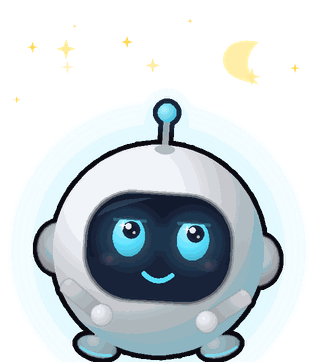
Until now Lumi lived on one screen. With 0.41 he steps off the desk: he's on your phone, he can look after your other computers, he can find your lost phone - and when you leave, he waves goodbye and minds the house. It's the biggest Lumi update yet, and it arrives by itself (he'll say “Update done!” when it's in).
📲 Lumi on your phone
Open overpoweredstudios.in/remote on your phone, sign in with your Lumi account and tap Add to Home screen. That's the Lumi app - no store, no extra account, free. You can:
- chat with Lumi wherever you are (he answers from your computer at home),
- get his notifications: your reminders, and a little “come home soon? 🥺” when you've been out for a while,
- send notes from your computer to your phone (“send this address to my phone”),
- and control all your computers with big buttons.
🖥️ All your computers, one Lumi
Sign in to Lumi on your laptop, your AIO and your PC with the same account. From any of them - or from your phone - you can lock, sleep, restart or shut down another one, change its volume, turn its screen off, open an app or a website, see its screen, or give it a whole task: “open YouTube on my laptop and play lofi”. Just ask Lumi, or use the new My other computers buttons in his Control center.
Each computer decides for itself: remote control is off until you switch on Settings → Phone & home → Let my phone and my other computers control this computer on that computer.
📱 Your Android phone
Lost your phone under a cushion again? “Find my phone” and it rings. Lumi can also lock it, change the volume, open apps, type for you, or do a small job by looking at the screen (“search lofi music on YouTube on my phone”). It uses Android's own Wireless debugging, so the phone and the computer need to be on the same Wi-Fi. He never opens banking or payment apps, and asks before sending, posting or buying anything. iPhones can't be controlled like this - Apple doesn't allow it - but the phone app works great on iPhone.
🎛️ The Control center
Right-click Lumi → Control center (or the house button in his Quick buttons, or “open control center”). One window with this computer's volume, screen brightness, battery, screen off, lock, sleep, restart and shut down - plus your other computers, your Android phone and the phone app.
👋 Bye! … Welcome home!
Tell Lumi “I'm going to college” (or “bye Lumi”, “I'll be back soon”…). He waves you off, then sweeps, dusts, waters his plant and folds the blanket while you're out. When you're back he notices by himself - or say “I'm home!” - and tells you how long you were gone, what he did, and asks how it was.
✨ The hologram capsule
Settings → Look → Hologram capsule: Lumi lives in a little glowing glass pod, with a soft light rising from its base and a gentle shimmer. Pure decoration, pure joy.
And a few smaller things
- When Google's free voice limit runs out, Lumi switches to your computer's built-in voice instead of an error, and goes back to his own voice an hour later.
- Screen watching is gentler on your free key.
- Songs play right inside Lumi again, instantly.
- Ask Lumi who made him. 😊